How DNS Resolution Works ?
What is DNS and why name resolution exists ?
The Domain Name System (DNS) is the phonebook of the Internet. Humans access information online through domain names, like chaicode.com . Web browsers interact through Internet Protocol (IP) addresses. DNS translates domain names to IP addresses so browsers can load Internet resources.
The translation of domain name to Ip addresses is Name Resolution.
What is the dig command and when it is used ?
dig is Domain Information Groper, it is a command line utility which is used to query DNS name servers for troubleshooting, diagonising and verifying DNS records.It gives a detailed information about A,AAAA,MX,NS,TXT domain records.
It is used when to check IP address of a domain if it is incorrect, finding specific DNS records like A,AAAA,MX,NS,TXT.
Advantage —>
To trace the delegation path from root servers down to authorotative dns server.
For exampple → Here the query i’ve used “dig chaicode.com”
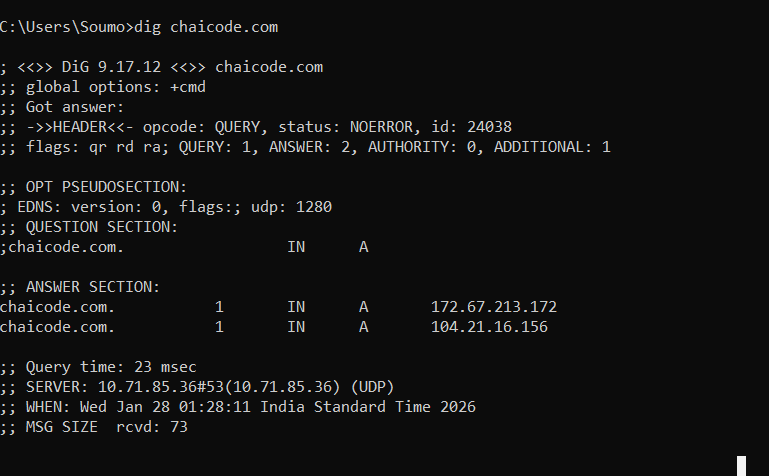
It gives the output of 2 A record (IPv4) for the domain name chaicode.com
Understanding dig . NS and root name servers
Command dig . NS is used to query the Root of internet. Here the “.” defiines the root zone and NS looks for name server records.
Basically dig . NS asks the internet who is the main server that start the search for websites. There are 13 root servers but more than 1600 physical servers .
Understanding dig com NS and TLD name server
dig com NS here this command is used to query the top level domain or the TLD. com is the TLD for a website like chaicode.com and NS will look for its name server.
Root servers —> .com
TLD —>To find Authorotative Name Server for a specific domain
Understanding dig google.com NS and authoritative name servers
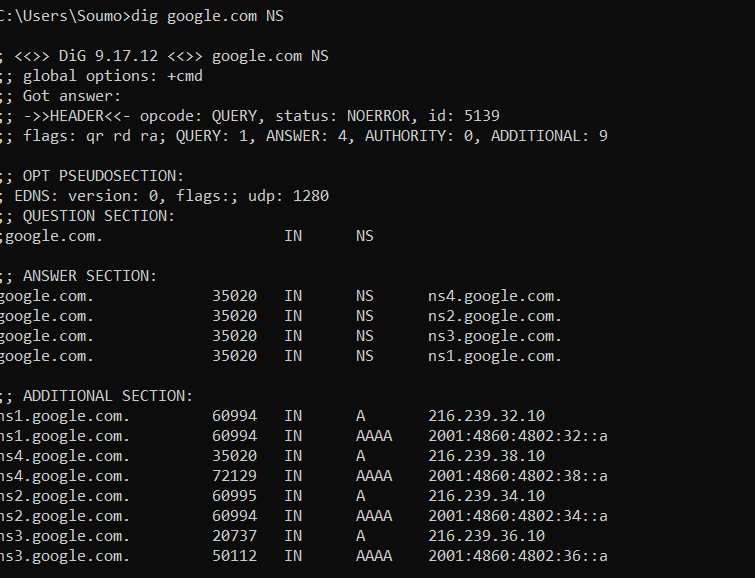
Here this command “dig google.com NS” is asking which dns servers are authorotative for the domain google.com.
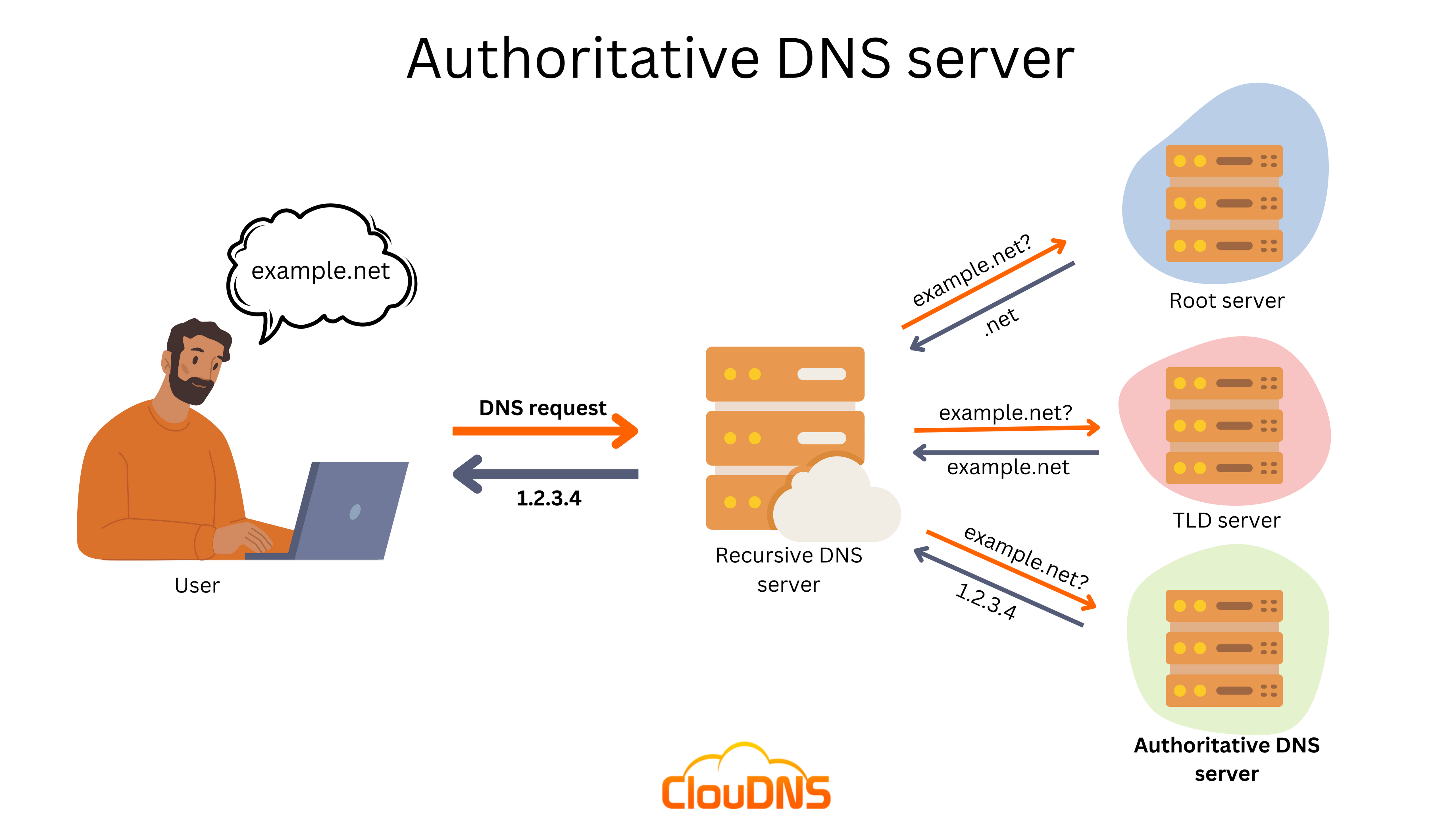
Authorotative Name Server( Central Authority or Source of truth) is a Dns server that holds the official records like IP addresses, mail server etc for specific domain names, providing the final answer to the dns query for that domain.
Understanding dig google.com and the full DNS resolution flow
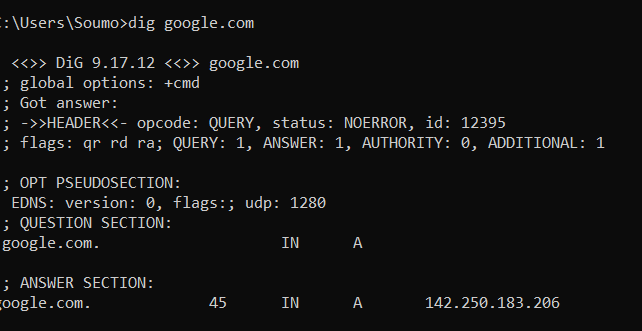
here this command dig google.com looks for the A record, and it get the IP 142.250.183.206, then by the IP the browser connects it to the server and load the website.


